How RotationMatch Network Works for Preceptors
From setting up your profile to hosting students and getting compensated, follow our simple 8-step process.
A Short Overview Before You Start
RotationMatch Network gives preceptors one place to describe their clinic, share when they are available and respond to student requests. The steps below show each screen. Here is the short version first.
The process at a glance
- Create your preceptor account and confirm your email address.
- Build your profile with your specialty, clinic and professional details.
- Set your availability: the dates and daily hours when you can host a student.
- Review requests as they arrive, including the student's resume, documents and requested dates.
- Accept a request, decline it, or ask the student for changes, such as different dates or additional documents.
- Use the built-in messages to plan the first day, then keep track of active rotations from your dashboard.
Good to know
You decide which requests to accept, and nothing is assigned to you. Students find your profile by searching on location and specialty, so a complete profile and current availability make it easier for them to understand what you offer.
Questions about onboarding or managing students? The Questions & Answers page is a good place to start.
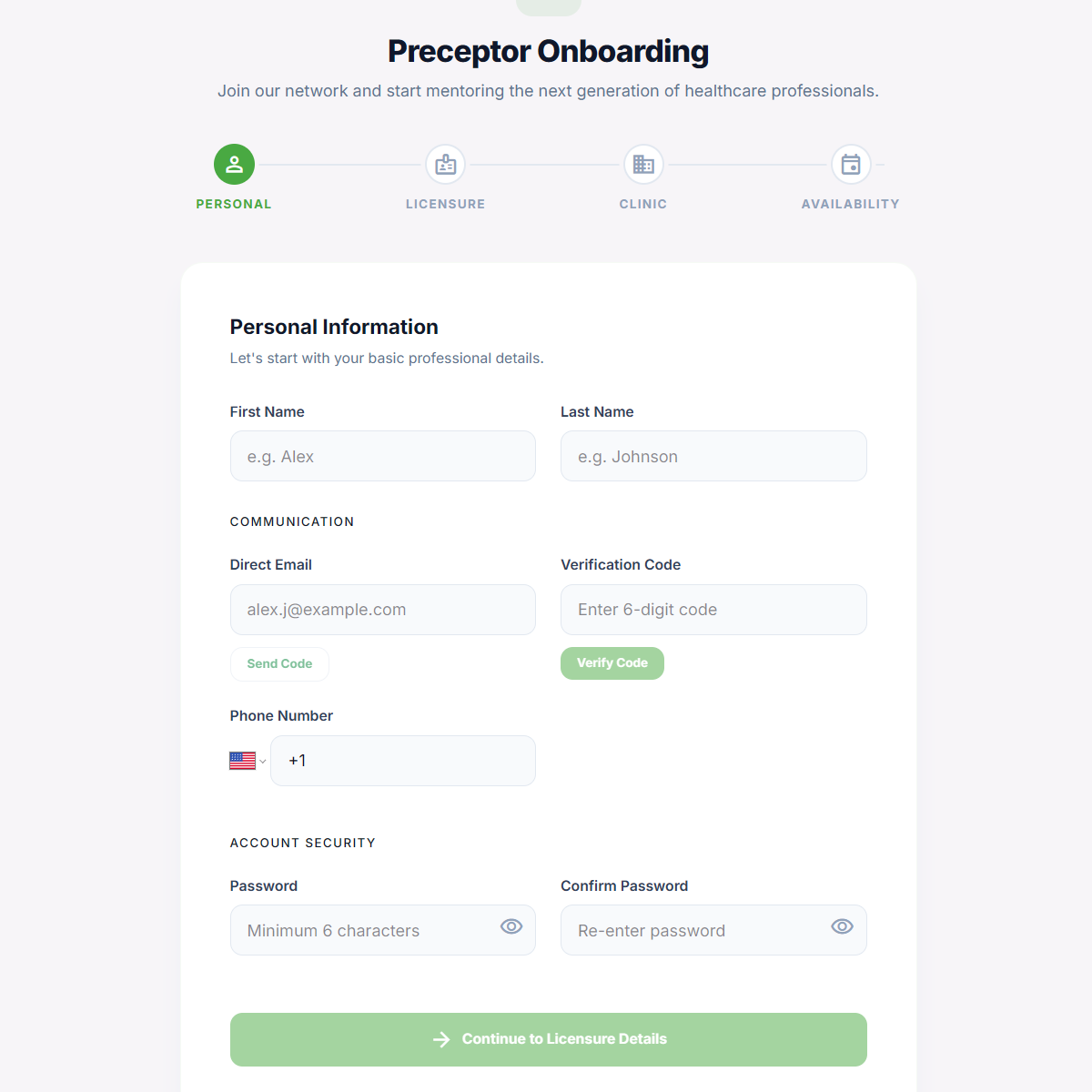
Create your preceptor account
Start by creating your RotationMatch Network preceptor account. Provide your basic information and clinical background to get started.
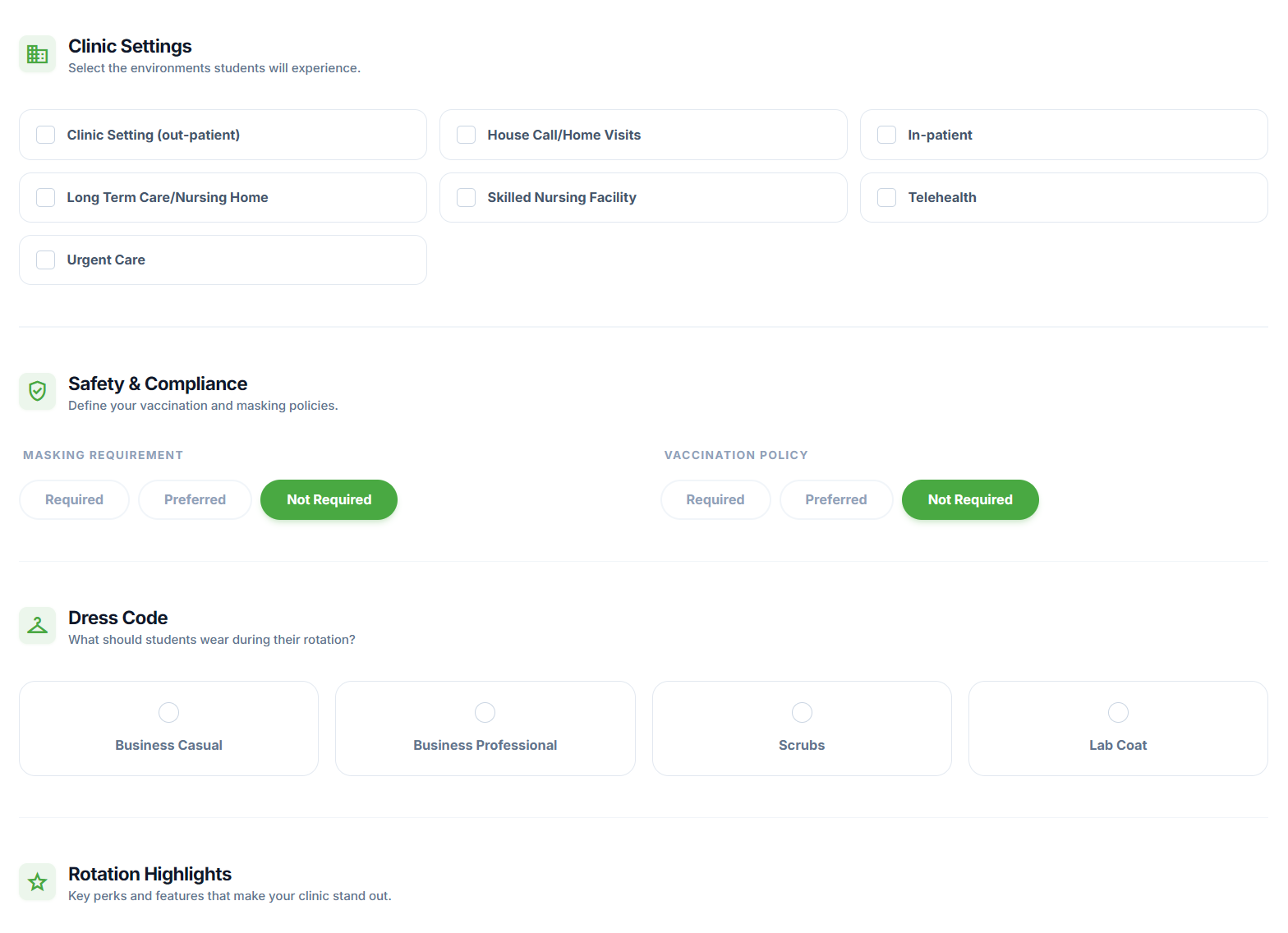
Complete your profile
Set up your preceptor profile by adding your specialties, hospital affiliations, and professional details. A complete profile attracts more students.
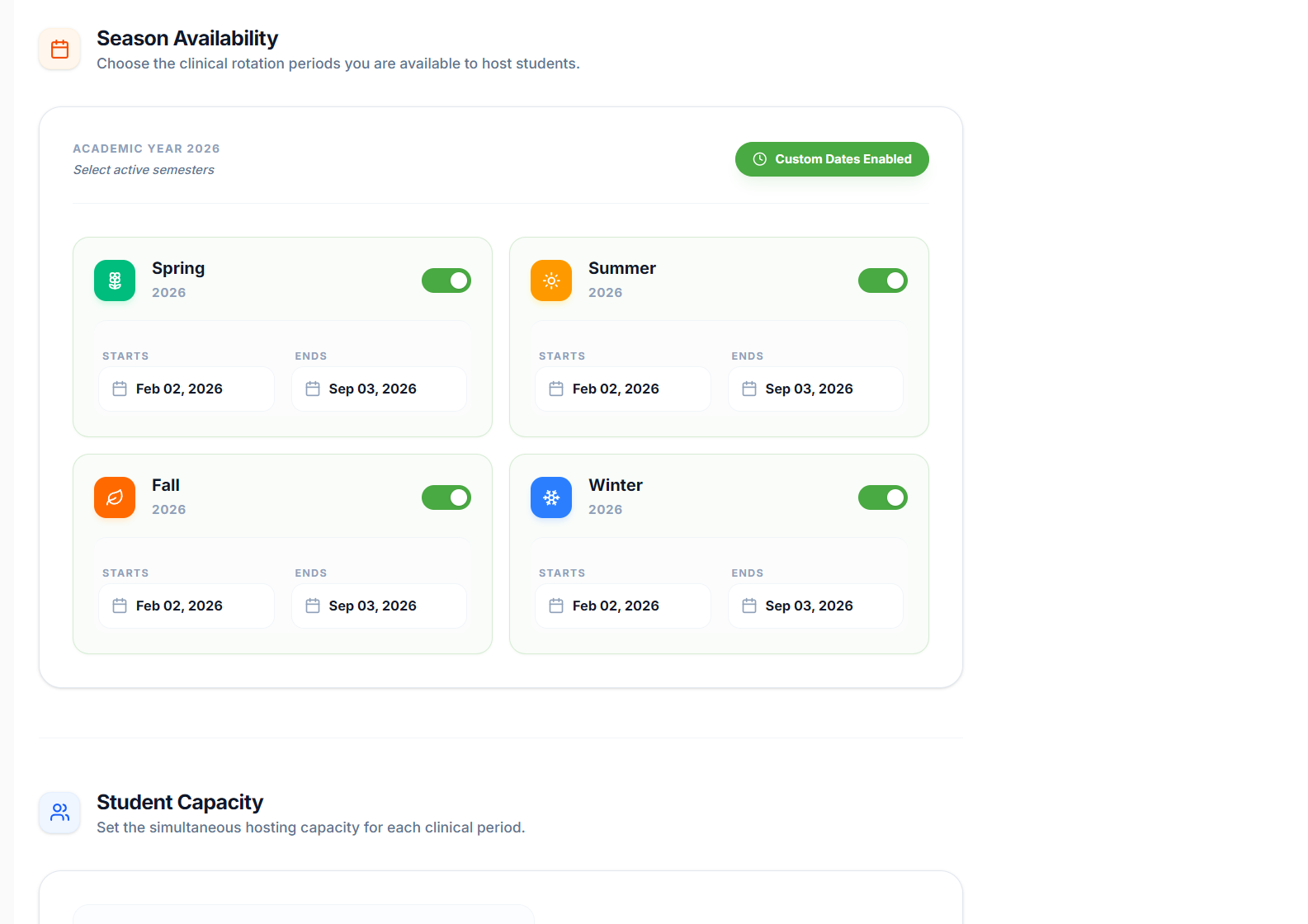
Post a rotation opportunity
Create a new clinical rotation listing. Specify the dates, availability, requirements, and any rules students need to follow while rotating with you.
Review student applications
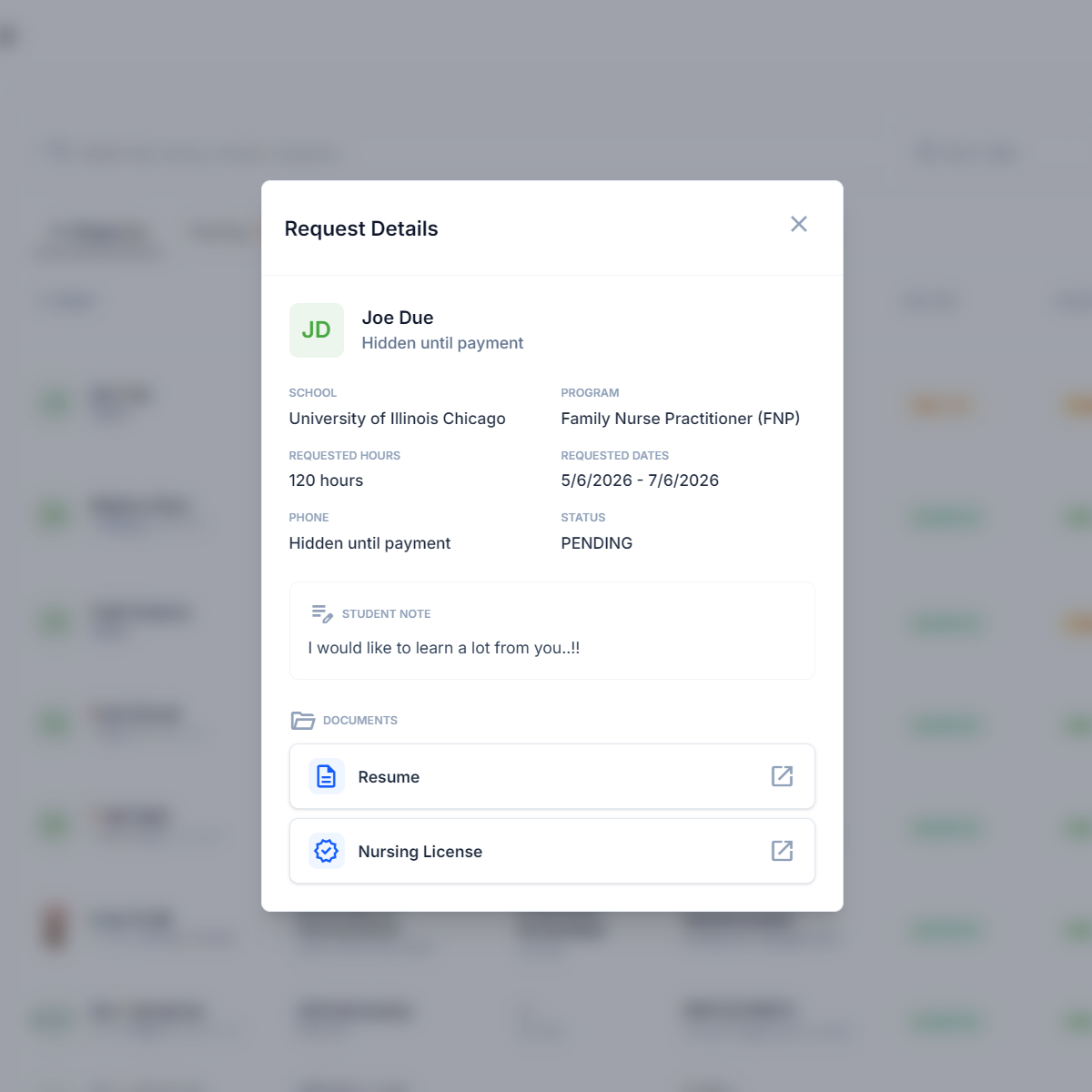
Once students apply to your rotation, you'll receive notifications. Review their resumes, documents, and requested dates directly from your dashboard.
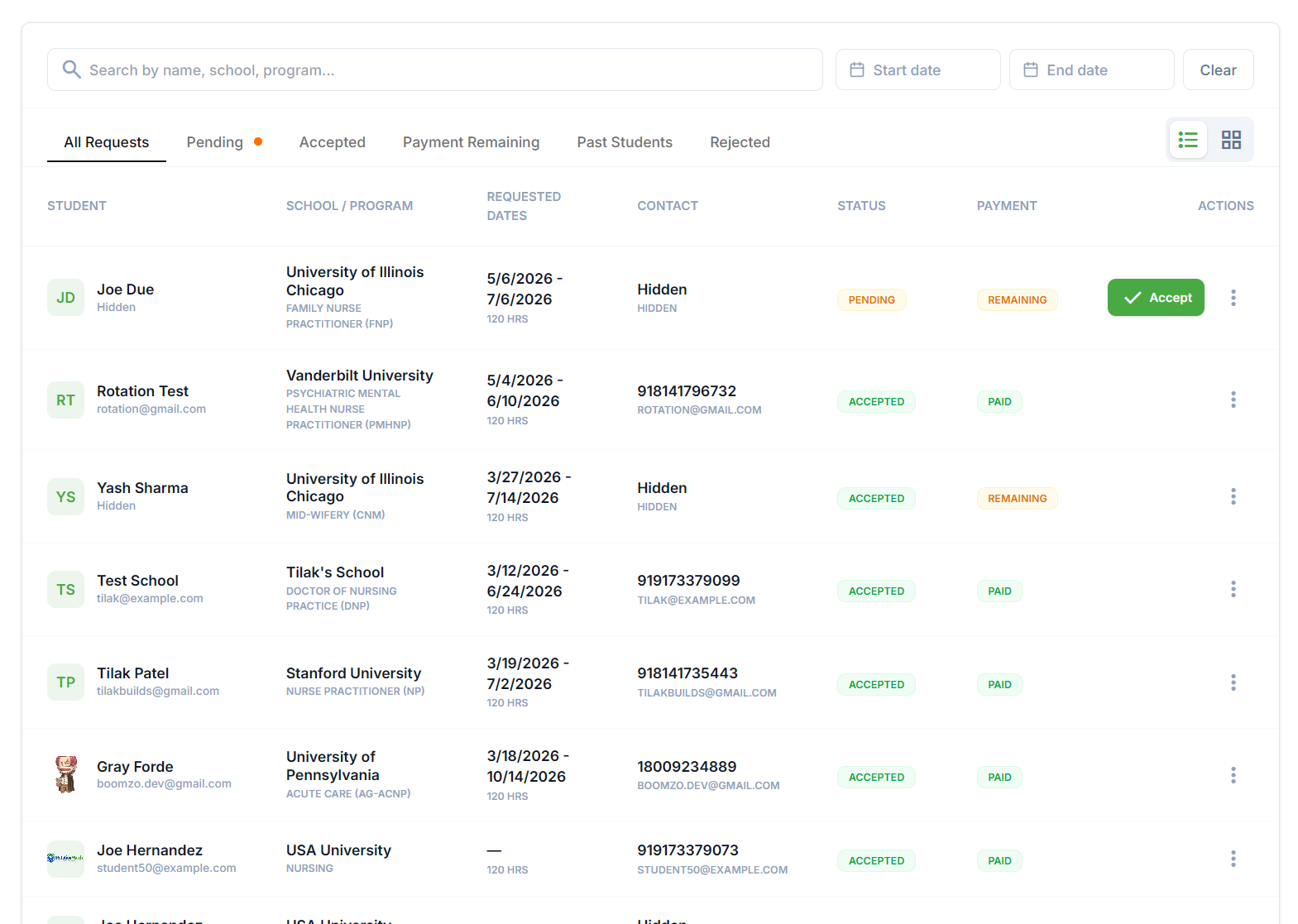
Accept student applications
Accept an application if it looks good, or request changes if you need different dates or additional documents before proceeding.
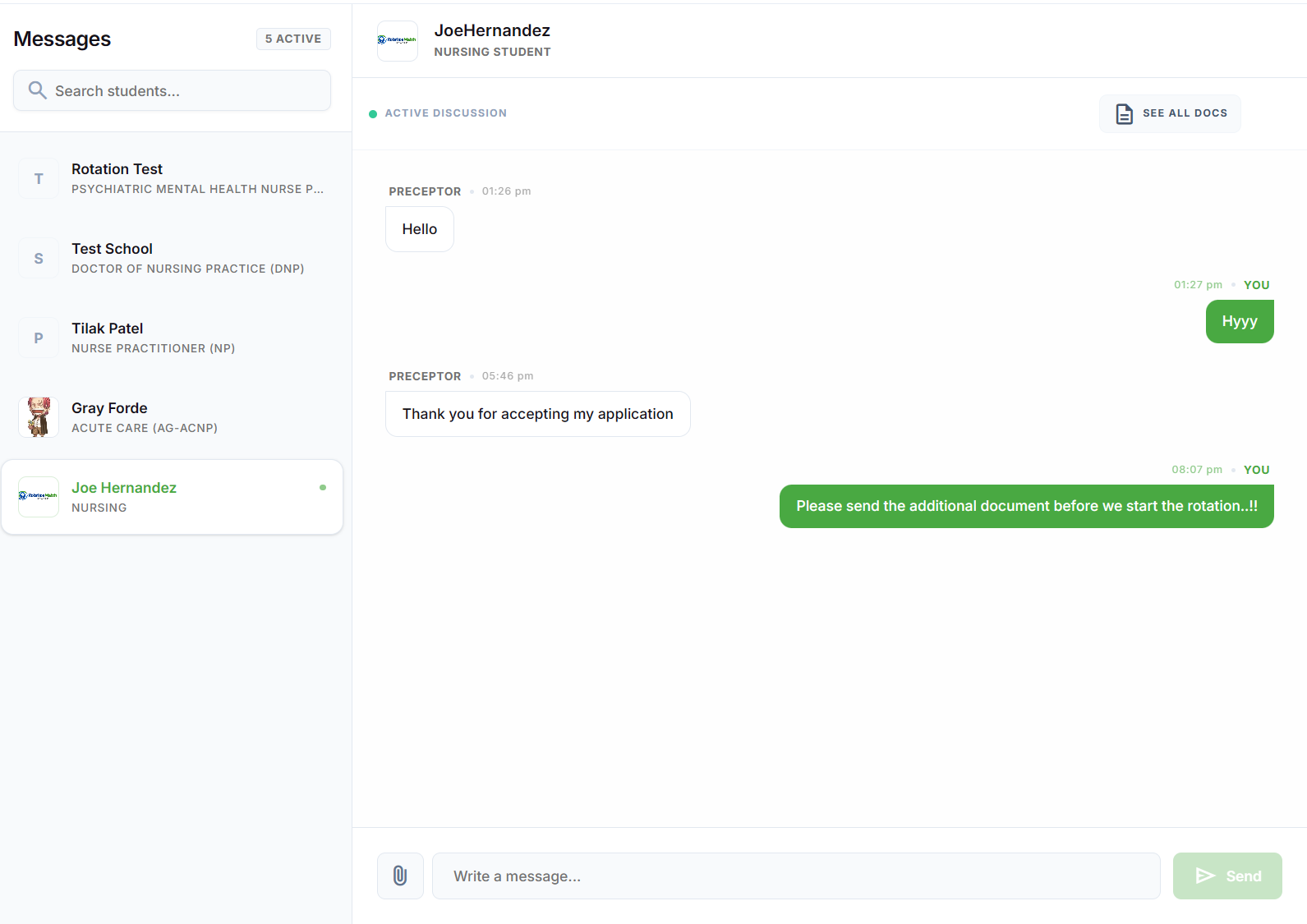
Chat and coordinate
After accepting, and once the student pays their fee, their contact info is unlocked. You can use our built-in messaging to plan the first day.
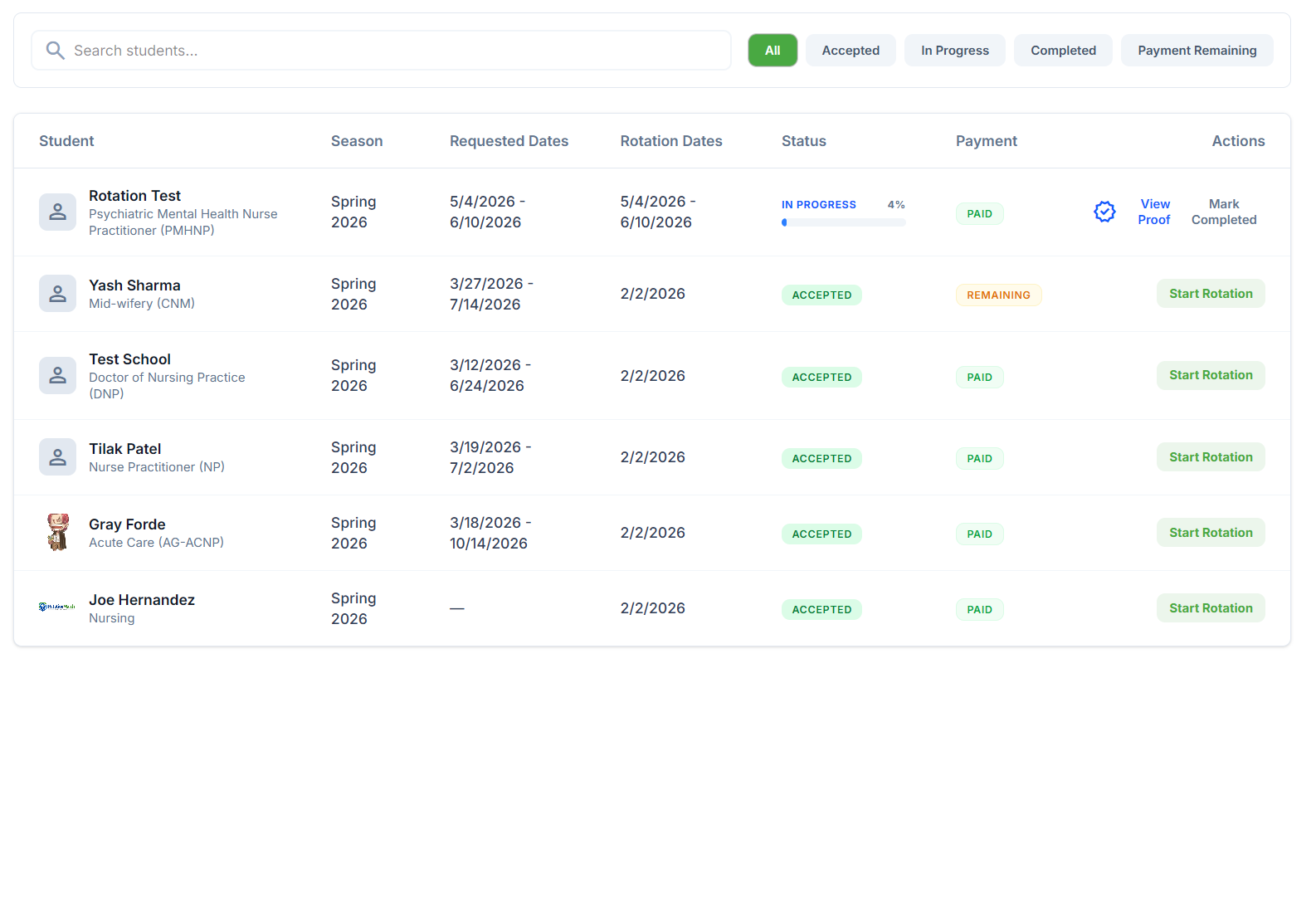
Manage active rotations
Keep track of ongoing rotations. View student progress, log hours if necessary, and ensure a smooth clinical experience for both parties.
Need extra help?
If you have questions about onboarding, managing students, or receiving compensation, our preceptor support team is always ready to assist you.